
FREE WEB APP / IPHONE & IPAD
Your portal.
One tap away.
Add 4TAKEOVER to your Home Screen to sign in, submit releases and manage your music. It takes a few taps. No App Store download needed.
Show me how- 01
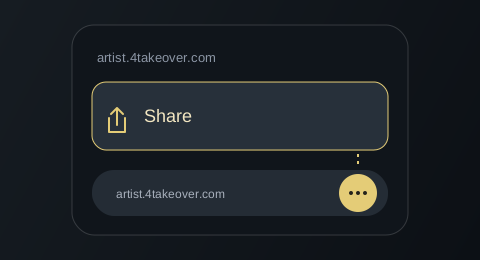
Open the Share menu
In Safari, tap the page menu or three dots, then Share. If you already see the square with an upward arrow, tap it directly.
- 02
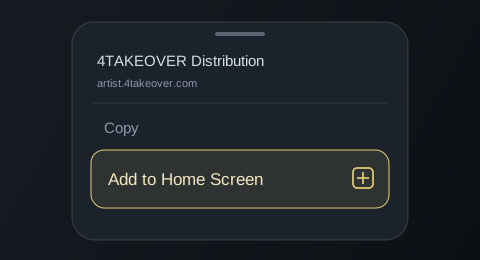
Choose Add to Home Screen
Scroll down the Share menu and tap Add to Home Screen. If it’s missing, scroll to Edit Actions and add it there.
- 03
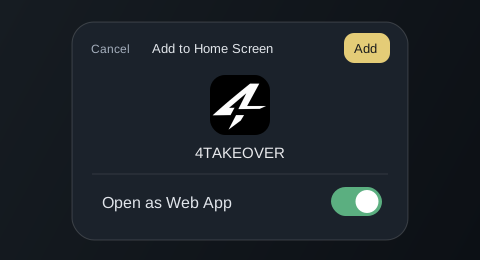
Keep Open as Web App on
Leave Open as Web App switched on if it appears, then tap Add. On older iOS versions, just tap Add.
- 04
Open 4TAKEOVER from your Home Screen
Leave your browser and tap the new 4TAKEOVER icon. Sign in or create your account there to use your artist portal.
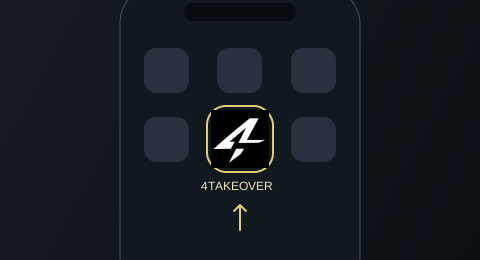
Illustrated guide. Menu positions can vary with your browser and iOS version.
Already added it?
Go to your Home Screen and tap 4TAKEOVER. Opening the website in a browser will bring you back to this guide.
Continue to the website